Guide
What to Wear on Camera — Stage, Headshots, and Video (Using Clothes You Already Own)
On camera, the rules are technical, not fashion-forward: wear solid mid-tone colors, keep necklines clean and simple, and avoid tight repeating patterns (which shimmer as moiré on screen) and busy logos. Then choose from what you already own — pieces that fit well and stay put when you move. The lens flattens depth and exaggerates busyness, so clean shapes and steady colors are what read as polished and let people focus on you, not your outfit.
Who this is for
You've got a headshot, a panel, a stage talk, a webinar, or a video shoot coming up, and you want to look sharp on screen without buying something new. The camera changes what works — an outfit that looks great in the mirror can buzz, glare, or wash you out on video. This is a short set of technical rules applied to clothes already in your closet.
Why the camera has its own rulebook
A lens does three things your bathroom mirror doesn't: it flattens depth, so busy textures turn to visual noise; it clips a limited dynamic range, so pure black and pure white lose detail; and it samples fine repeating lines, so tight patterns interfere and shimmer (the moiré effect). Dressing for the camera means dressing for those quirks first — style comes second, and lives comfortably inside the rules.
The method: apply the camera rules to what you own
- Choose solid mid-tone colors. Mid-tones hold detail and sit well against most backgrounds. Pure white can blow out under lights and pure black can turn into a flat void, so favor jewel tones, muted brights, navy, grey, and warm neutrals from your closet.
- Keep necklines clean and simple. A crew, a clean collar, or a simple V frames your face without clutter. Fussy, high, or very busy necklines pull attention up and away from your expression.
- Kill patterns and moiré. Rule out tight stripes, small checks, herringbone, and fine dogtooth — they interfere with the sensor and shimmer on screen. Large, low-contrast patterns are safer, but solids are safest.
- Cut distractions. Skip big logos, slogans, and anything that reflects hard (very shiny fabrics, oversized jewelry) — they steal focus and can flare under lights.
- Check fit in motion, from your own pieces. Pick clothes that fit cleanly and stay put when you sit, gesture, or clip on a mic. A jacket that keeps its shape and a top that doesn't gape or bunch will read structured and calm on screen — all from what you already own.
Example from a real-style closet
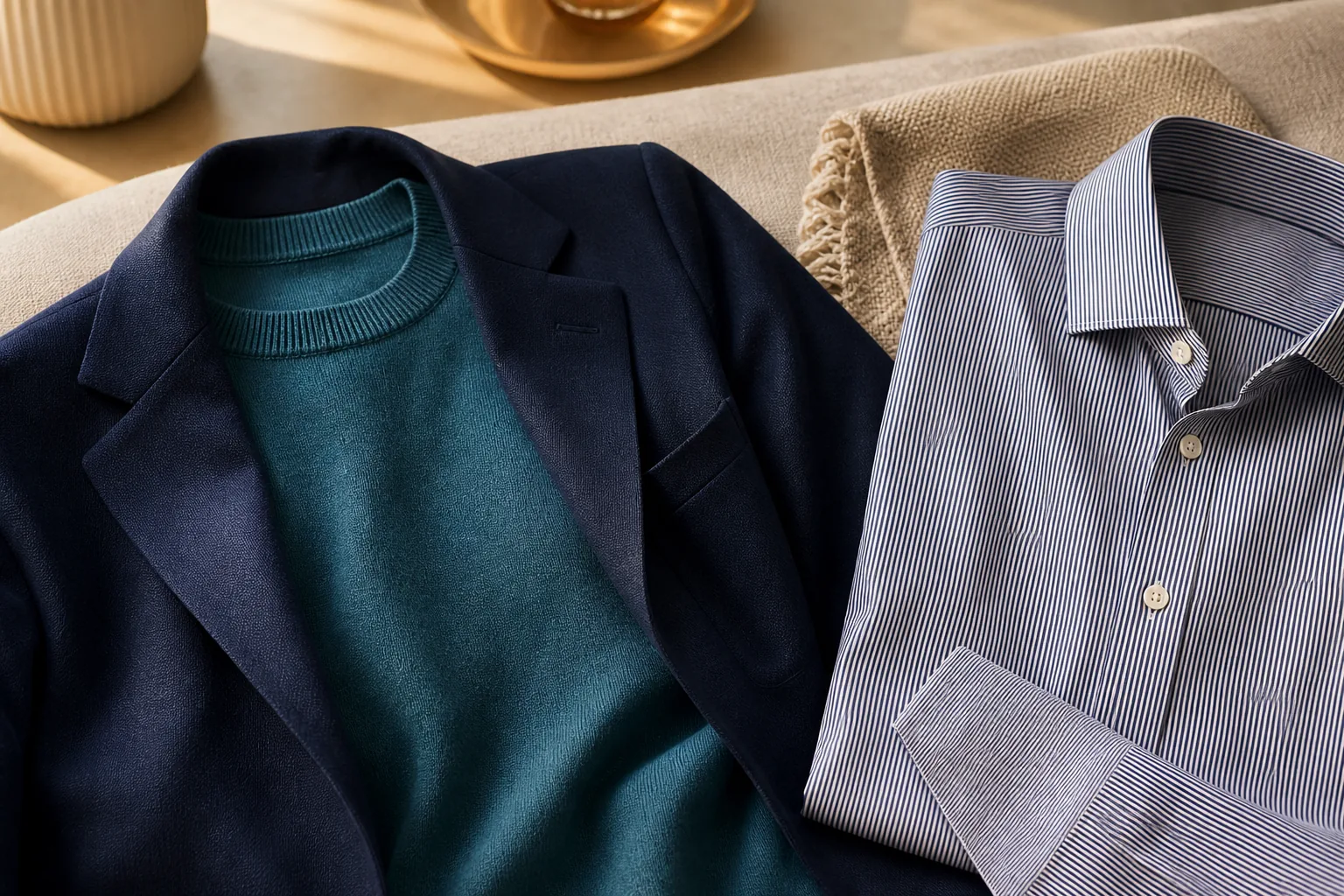
Marcus is recording a conference talk and reaches for his favorite fine-striped shirt — exactly the thing that will shimmer on camera. He runs the rules instead. Out goes the stripe; in comes a solid teal knit in a mid-tone that holds detail under lights. He keeps the neckline simple, adds a structured navy blazer he already owns for shape, and removes the chunky watch that would catch glare. No logo, no pattern, nothing new bought — and on the recording he reads clean and put-together, so the audience watches him, not his shirt.
Common mistakes
- Wearing tight stripes, small checks, or herringbone that shimmer as moiré on screen.
- Defaulting to pure white or pure black, which blow out or flatten under lights.
- Choosing a busy or logo-heavy top that pulls focus from your face.
- Ignoring fit — a top that gapes or a jacket that bunches looks worse magnified on camera.
- Over-accessorizing with shiny or oversized pieces that flare and distract.
Where an AI wardrobe app helps
Once your closet is uploaded, you can open Ask — Mysta's stylist chat — and simply say you have a headshot, a panel, or a video shoot. Ask responds with on-camera-safe looks pulled from the clothes you actually own: solid mid-tones, clean necklines, nothing that shimmers. Style DNA keeps those picks true to how you dress, so you look camera-ready and still like yourself.
Limitations
Some productions have their own wardrobe rules — a brand color, a required jacket, a green-screen "avoid green" note — and those override the general guidance. Broadcast and cinema lighting can shift what works, so if a stylist or producer directs you, follow them. And if your closet is heavy on patterns and pure black-and-white, the safe options may be genuinely thin — confirm that against the rules before buying a fallback solid.
Quick checklist
- Picked a solid mid-tone color, not pure white or black
- Kept the neckline clean and simple
- Ruled out tight stripes, small checks, and fine patterns
- Removed logos and shiny or oversized accessories
- Checked the fit holds when I sit, gesture, and clip on a mic
- Confirmed it still looks like me
Frequently asked questions
What colors look best on camera?
Solid mid-tones — jewel tones, navy, grey, muted brights, and warm neutrals — hold detail and sit well against most backgrounds. They avoid the blown-out or flattened look that pure white and pure black can create under lights.
Can I wear black or white for a headshot?
You can, but use them carefully: pure white can blow out and lose detail under bright light, and pure black can flatten into a shapeless void. If you love the look, choose a softened version — off-white, charcoal — or add a mid-tone layer so the camera keeps some detail.
Why do some patterns look weird on video?
Tight repeating patterns like fine stripes, small checks, and herringbone interfere with the camera's sensor and shimmer or vibrate on screen — an effect called moiré. Solids and large, low-contrast patterns avoid it, which is why they're the safe choice on camera.
Try it before your shoot
Before your shoot, pull two or three solid mid-tone pieces you own and run them through the camera rules — you'll likely find your on-screen outfit is already in the closet. If you'd rather just ask, open Ask in Mysta, tell it what you're filming, and it'll style a camera-ready look from the clothes you own.